Essay
MCP: The USB-C of AI Integrations
Why MCP matters, how hosts-clients-servers fit together, and what tools, resources, and prompts mean in practice.
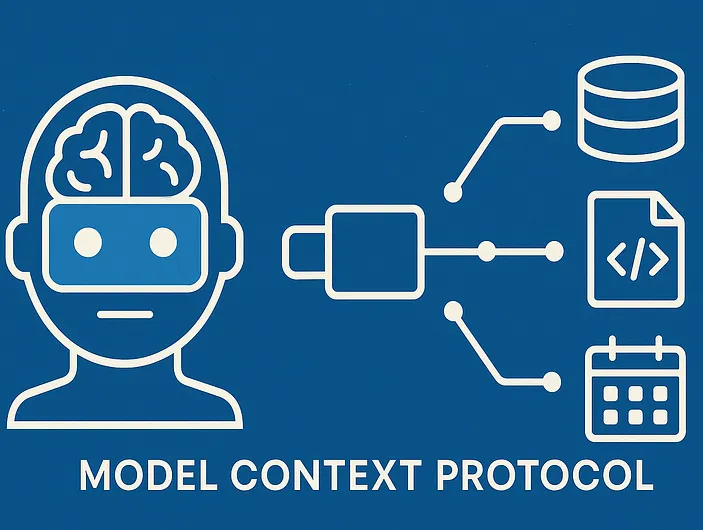
Why MCP? LLMs increasingly need live data and tools. Think chatbots that check your calendar, code assistants reading your repo, or agents that need to search an internal system and then take action.
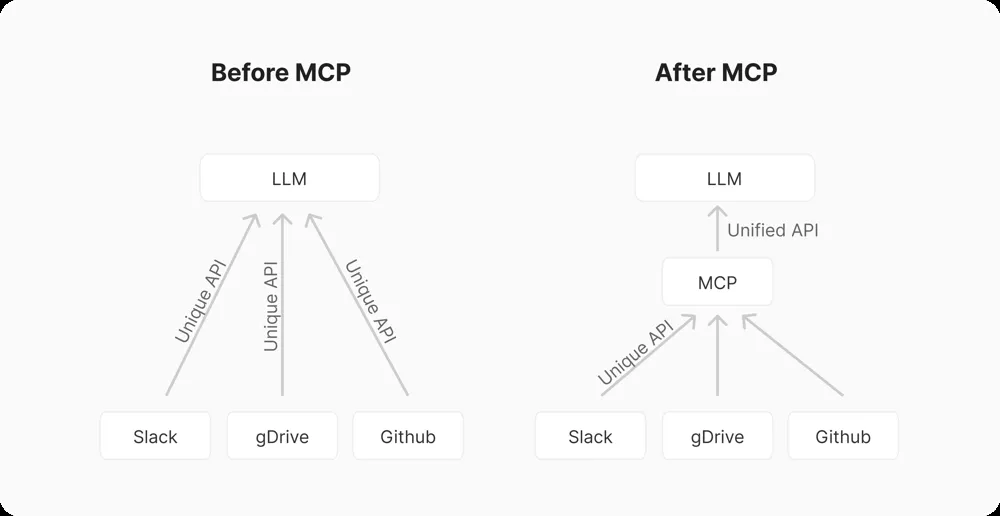
Without a standard, every AI app and every tool has to be wired together with custom glue code. That is the classic M x N integration problem.
MCP solves this by acting like a USB-C port for AI. Instead of building a separate integration for every AI-tool pair, you build:
- N MCP servers, one per system
- M MCP clients, one per AI app
That shifts the problem from many bespoke integrations to one shared protocol.
In plain terms, MCP gives AI systems a common way to “plug into” data sources and tools. As the documentation puts it, it standardizes how applications provide context to LLMs. The payoff is a growing library of reusable integrations, easier portability across model providers, and better security boundaries than ad hoc tool wiring.
Architecture: hosts, clients, and servers
Under the hood, MCP is a JSON-RPC client-server model.
- The host is the AI application itself, such as a chat app, IDE assistant, or LLM-based workflow.
- The client is the MCP-aware component inside that host.
- The server exposes capabilities to the client.
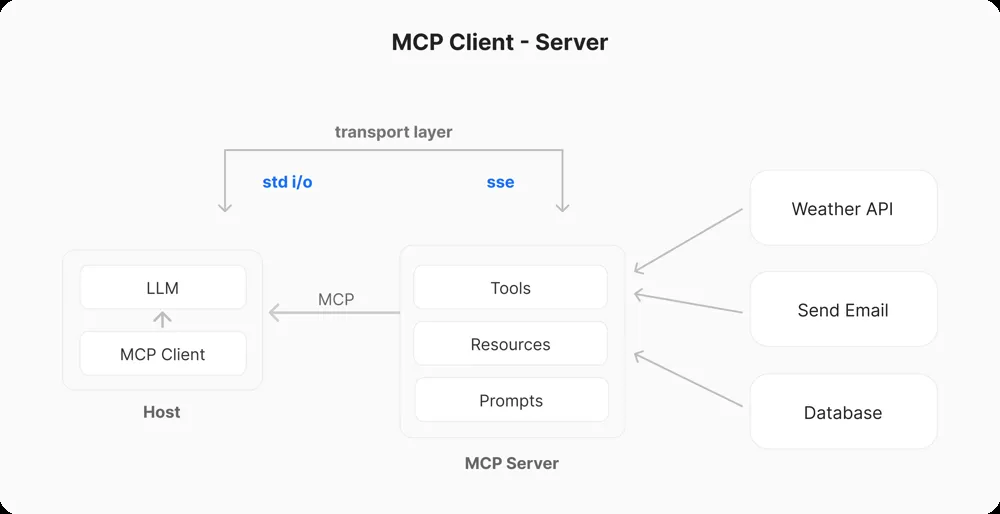
Each MCP client maintains a 1:1 connection to an MCP server. Servers are lightweight programs that expose specific capabilities. A server might connect to your file system, a database, or an external API and then provide context, tools, and prompts back to the client.
In other words, the server is a trusted middleman. It has access to the resources, and it speaks to the LLM through a well-defined protocol.
In practice, the client and server first handshake and exchange capabilities. Then the server declares what it can do through its tools, resources, and prompts. Communication is bidirectional:
- clients send requests such as “call tool X with these arguments”
- servers send back results or notifications
Key building blocks: tools, resources, prompts
MCP divides functionality into three categories, each described with JSON schemas.
Tools
Tools are functions that the model can invoke. Think of them as callable APIs or actions.
Examples:
- send an email
- search a codebase
- run a database query
The LLM generates a structured JSON payload to call the tool, and the MCP server executes it.
Resources
Resources are data endpoints the model can query. These are generally information sources rather than state-changing operations.
Examples:
- list the files in a project
- fetch current weather data
- return user profile records
The client can fetch or stream these into the LLM’s context.
Prompts
Prompts are pre-set instruction templates or workflows. They guide the LLM on how to use tools and resources effectively.
Examples:
- structure a document summary
- format an API call
- output a response as JSON
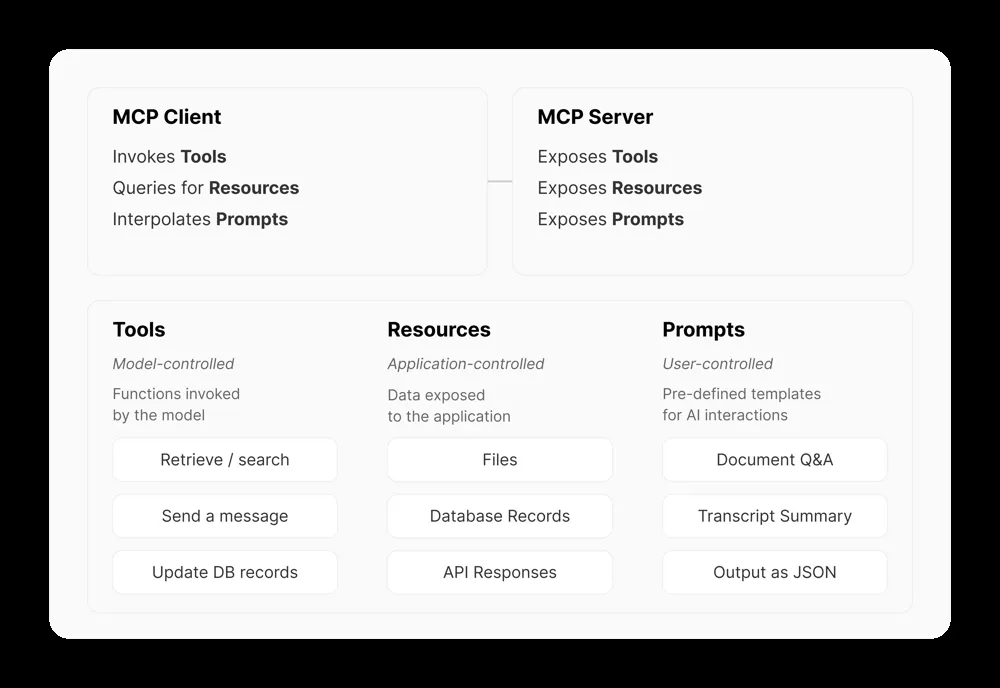
Prompts are chosen by the user or developer before inference and injected into the conversation.
Why the protocol matters
As the specification notes, servers expose Tools, Resources, and Prompts through the standardized Model Context Protocol.
For example, a GitHub MCP server might expose:
- a
list_issues()tool - a
get_file()resource
Both can be described with JSON schemas. The LLM sees those schemas in its prompt. When it wants to use one, it emits a structured request. The MCP runtime then matches that request to your code and executes it.
That is the key shift. Instead of the model guessing how to call an API, it gets a menu of available actions with explicit shapes and constraints.
Demo preview
TBC ;)